Rustradio - SDR framework now also in the browser, with Wasm
I’ve previously blogged about RustRadio, my GNU Radio like framework for writing software defined radio applications in Rust. And now there’s more progress of an interesting kind.
Anything that tries to do something similar to GNU Radio needs a few things:
- Core framework.
- SDR components (filters, clock recovery, multipliers, etc).
- A user interface.
In addition to these, GNU Radio also has the excellent GNU Radio Companion for interactive creation of flowgraphs, but I’m not tackling that yet.
I have a core framework, and some components (blocks). But the UI has been a bit lacking.
I’ve played around with TUI applications, but I always knew I also wanted to support having a UI in the browser. I’m not as interested in adding support for QT or Windows native UI. The browser will do fine.
There are two ways to get the UI in the browser:
- Have the browser talk to a backend that’s running the actual DSP.
- Running the DSP in the browser, with no need for a backend.
While I’ll want (1) eventually, and have some ideas about that, this post is about running everything in the browser, using Wasm.
Another great benefit of using Wasm for DSP and UI is that no installation is required. Users can just point their browser and run it immediately.
I know that this is just scratching the surface on some aspects of this, but I hope I at least didn’t get anything wrong.
Wasm, in short
There have been various technologies to running code in the browser. ActiveX, VBScript, Java, and Flash come to mind. They’ve all gone away. Only Javascript remains. Typescript is a better Javascript, but it’s still basically Javascript.
Wasm allows you to compile programming languages that normally compile to native code, like C, C++, and Rust, to a portable binary that the browser can execute. This is better than compiling (transpiling) them to Javascript, because it doesn’t require the overhead of guaranteeing Javascript behavior while actually executing another language’s compiled code.
Great. I’m not a fan of Javascript, so this should mean I’ll be able to do web coding without writing even a single line of Javascript. Well, aside from the line that goes “load the Wasm”.
More importantly for this project, it means I’ll be able to run RustRadio in the browser.
Web workers
Javascript is single threaded. That’s not a problem in itself, since RustRadio is perfectly happy running single threaded. But if something gets stuck in a loop then you’ll get the “Page is not responding” dialog, making you and your users unhappy. And even without that, while some heavy computation is happening in the main UI thread, the page will be unresponsive.
Javascript will likely never have threads in the traditional sense (some frameworks fake it, as I’ll get to).
So if you want to avoid locking up the main UI thread, then you need to spin off a “Worker”. This worker runs in its own thread, and has very limited access to the outside world, including other workers. In particular, it does not have access to the DOM (the web page). Only the main UI “thread” has access to that.
What you can do is post messages between the worker and the other worker or main thread that spawned it. You can also create a shared buffer, but I’ve not done that yet, so ignoring that for now.
Any heavy CPU work that’s expected to take a few milliseconds should be considered for offload to a Worker instead of running on the main UI thread. And keep in mind low end devices like phones, when estimating “a few milliseconds”.
The sandboxing of a Worker is also nice, in that if something runs in a worker, then you know that it can’t affect the DOM.
It’s apparently possible to run threads with Wasm in some setups, but it’s not been standardized, so it’s not something I’m going to build for. In particular, it doesn’t work on Apple phones, which is a big enough target that it’s a showstopper.
So for my purposes the only way to run a separate thread is to run a separate worker.
Computing and receiving messages on the same thread
A worker receives a message by having its onmessage handler called. But since
the worker is just the one thread, it can’t interrupt whatever heavy
computation was currently happening. It can’t even do something POSIX signal
like, and redirect execution into a new stack. No, it just patiently waits
until the worker finishes what it’s doing before calling that callback.
There are two ways of doing this. Either the worker snapshots its computation,
and hopes it’ll get a message later, resuming it, or (technically equivalently)
you use async functions. The latter seems better in my limited experience.
Because async is just fancy syntax for returning a future, it’s not actually
different from returning and resuming; It’s just automatic. It also means that
having returned, any other onmessage handler for more messages have a chance
to run.
async->sync->async
Sometimes async code needs to send a sync function to some API (e.g. register a
sync callback). This handler is then called outside of async, and can’t
await on any async. onmessage and button click handlers are sync, yet may
need to await. This is part of that whole “what color is your
function” thing.
It seems that the core library of Rust Wasm, wasm_bindgen, helpfully provides
a function to register more futures for execution, with spawn_local(). This
makes things easy. The handler then just registers the async call, and returns.
My example: An AX.25 1200bps decoder, in the browser
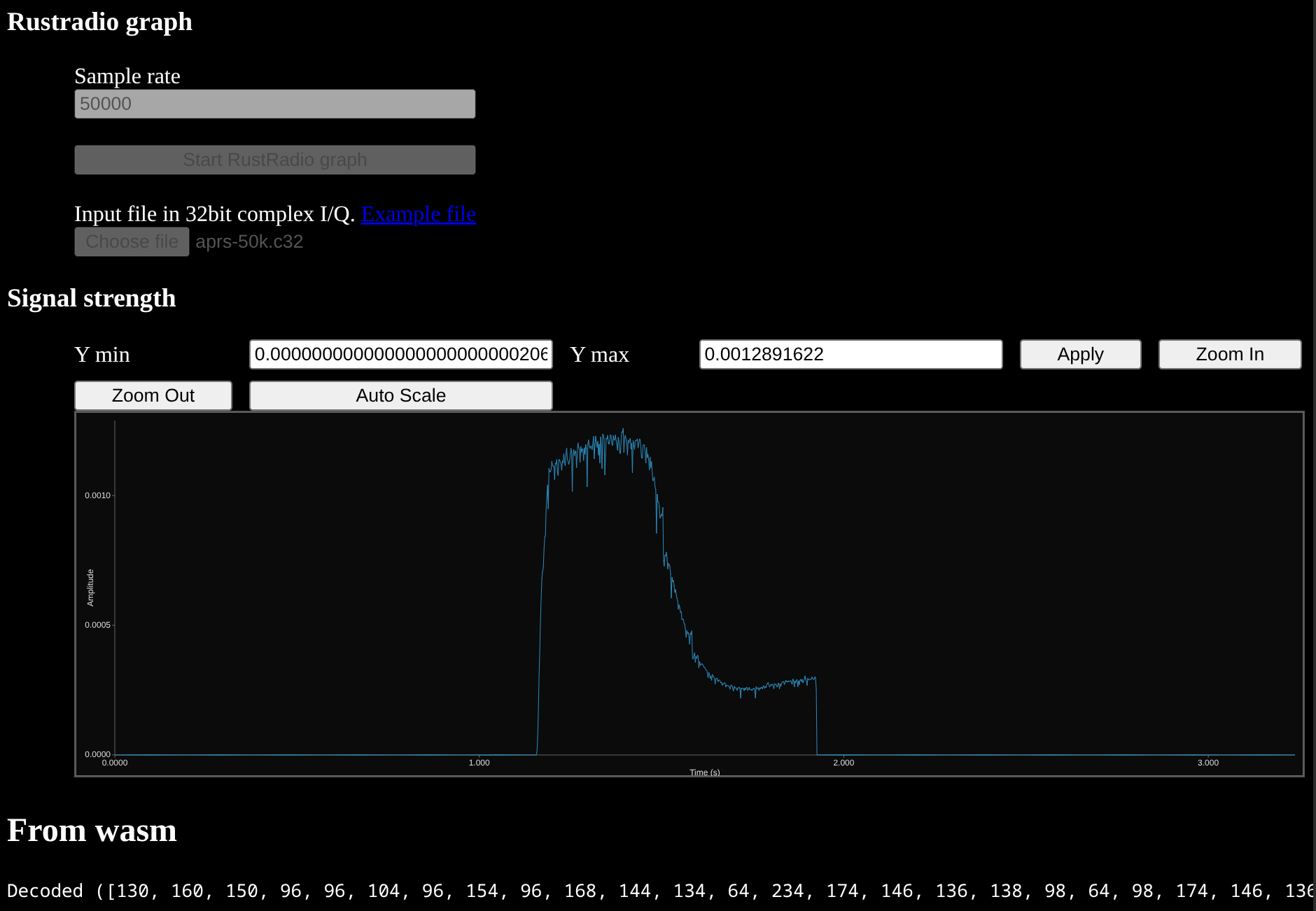
I’ve blogged about AX.25 before. For this post all you need to know is that it’s a data packet sent over radio, and that my example is able to find and decode the packet from a recording.
The live site is here if you want to try it. Or just enjoy this screenshot and video if you don’t. :-)
My first memory error in Rust
Rust is a memory safe language. JS is too. So how is this the first time I’ve managed to get memory corruption with Rust? I get this when I try a sufficiently large file (50MB+ tends to trigger it).
Notice in this screenshot how the vector has been corrupted, thinking it’s over a GB of data. It should be 64Ki.
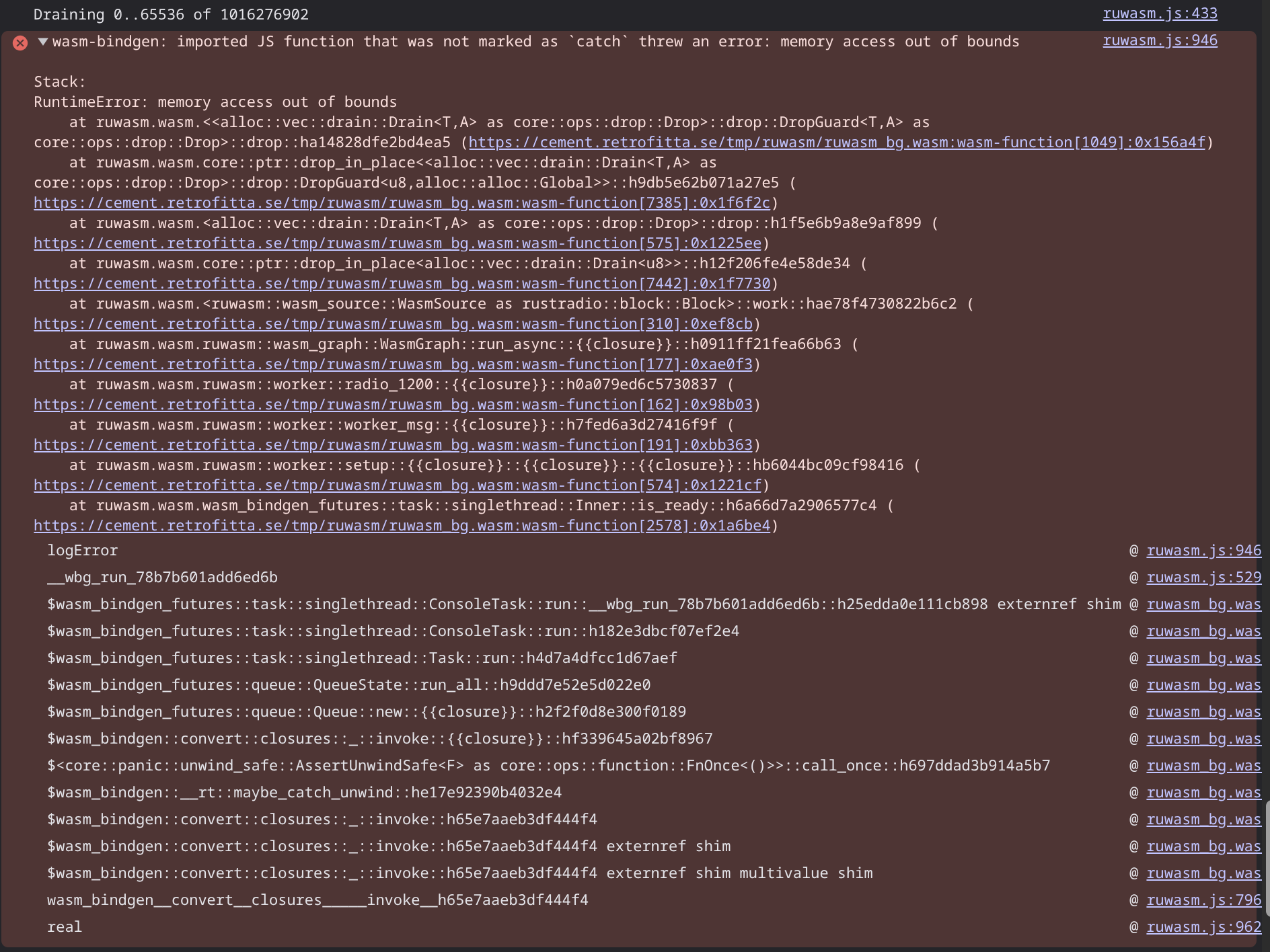
Hopefully I’ll get this fixed, so for future reference this is when running the code in the ruwasm repo at commit 6088f711141fe566a8a02f9f40d5866ff6d8e82f.
Maybe it’s from some immature dependency. Maybe (more likely?) it’s a bug in my
sloppily coded buffer handler. It does have a couple of unsafe.
GitHub Pages auto-deploy
You may have noticed that the URL to the live demo is hosted on github.io.
Because there’s no active server component, I thought I’d try out continuous
deployment of this Wasm application. It was simpler than I expected. Just
enable github pages, set them to be sourced from github actions, and add a
simple github action, and upon every git push, the latest version
gets hosted “in the cloud”.
That’s it. Now whenever I push a new version to github, it’s live on that URL a minute later. Pretty cool.
Future work is to trigger another github action on tagging a release, creating a permanent location where this tagged version is deployed. That way it’ll be possible to bisect looking for a bug, without even compiling.
I’ll also want to have it trigger on pull requests, so that it can be tested prior to merge, without the need to download and build locally.
Wasm, the end of Javascript?
Of course this is Betteridge’s law of headlines, but this video is still interesting and relevant.
WebUSB should provide direct access to SDR hardware like RTLSDR and USRPs. There’s no reason it shouldn’t be possible to run a large complex interactive SDR application directly against hardware, all inside the browser with no server components.